
Most people use AI agents one at a time. You give it a task. It does the task. You review the output. Move on.
That works fine for basic stuff. But the real power comes when you connect two agents together so one’s output triggers the other’s input. No human in between.
The Journalist Outreach Example
Here’s a pattern I teach in my workshops. Say you want to reach out to journalists about a product launch.
The old way: you manually research journalists, find their emails, write personalized pitches, and send them one by one. Takes hours. Maybe days.
The two-agent way:
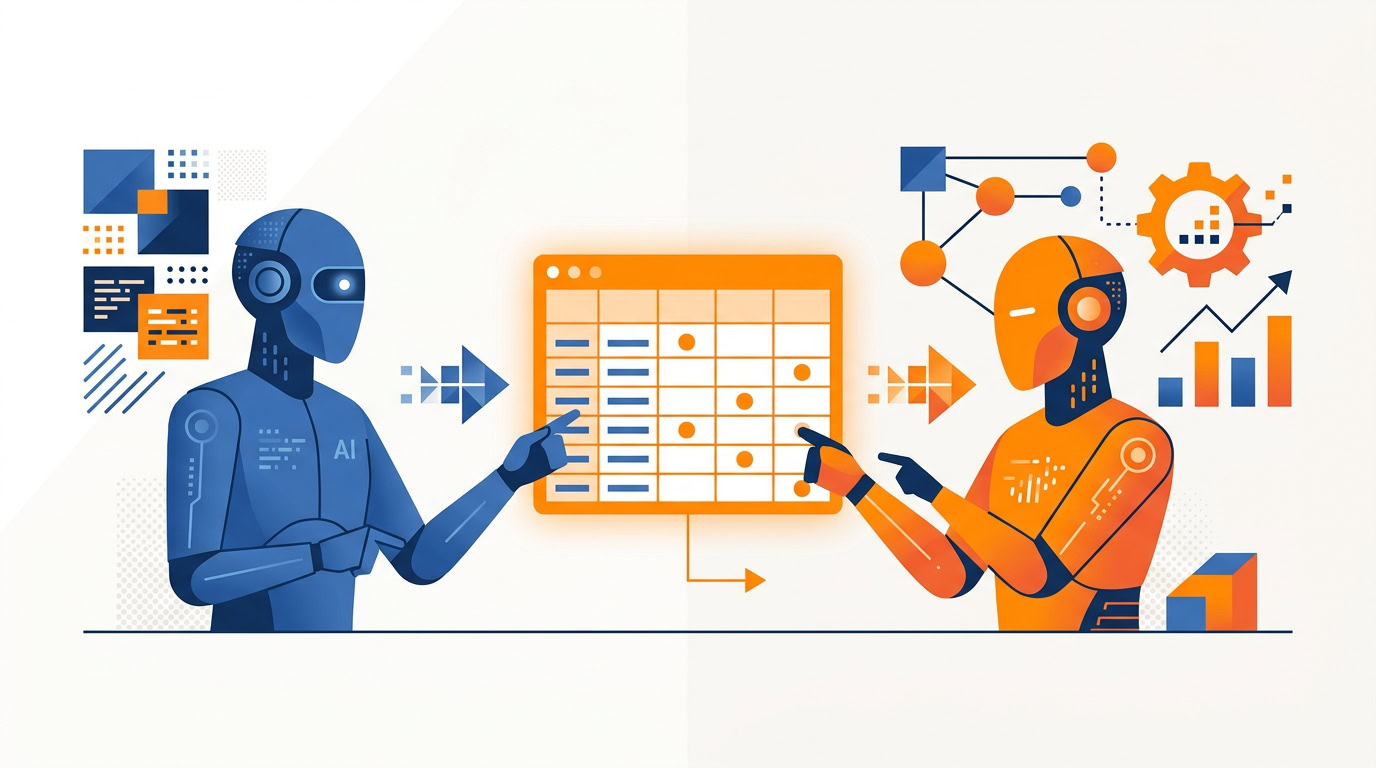
Agent 1 searches for relevant journalists. It looks at their beat, their recent articles, the outlets they write for. Then it populates a Google Sheet with one row per journalist. Name, outlet, email address, recent topics they’ve covered.
Agent 2 monitors that sheet. The moment a new row appears, it wakes up. It reads the journalist’s information, researches their recent work, writes a personalized pitch based on their actual coverage, and sends the email.
You set it up once. Agent 1 feeds Agent 2. The spreadsheet is the handoff point.
The whole thing runs without you touching it after the initial setup. Agent 1 finds the people. Agent 2 sends the messages. The only human decision was choosing what kind of journalist to target.
A Sales Outreach Example
The same pattern shows up in outbound sales. A team is working through prospects from a Google Sheet, then researching each person and writing personalized outreach messages. One at a time.
It can take a long time to work through a list that way.
An agent can do all of it. It takes the prospect data, researches their background, then sends a highly personalized message. Cost: well under a dollar per outbound message.
When a single deal is high-value, the ROI on cheap AI outreach is obvious. You don’t need a spreadsheet for that part.
And prospecting capacity goes from “however many calls we can make in a day” to a much larger volume of personalized touches running in the background while the team does other work.
Why the Spreadsheet Matters
The spreadsheet between the two agents isn’t just a convenience. It’s the architecture that makes the whole thing work.
Think about it like a relay race. Runner 1 doesn’t need to know where Runner 2 is going. They just need to pass the baton cleanly. The spreadsheet is the baton.
Agent 1 writes to it. Agent 2 reads from it. Neither agent needs to know about the other one. They just need to know their piece.
This is important because it means you can swap out either agent without breaking the system. Want to change how you find journalists? Update Agent 1. Want to change the email template? Update Agent 2. The spreadsheet in the middle stays the same.
It also means you can add a third agent. Maybe Agent 3 monitors for replies and categorizes them as “interested,” “not now,” or “unsubscribe.” Now you have a three-agent pipeline that handles outreach from first touch to response handling.
Where This Pattern Works
The two-agent chain works anywhere the process has two distinct phases:
- Find or collect data (research, scraping, monitoring, intake)
- Do something with it (send emails, update CRM, create content, file reports)
Here are some real applications:
- Lead generation: Agent 1 scrapes prospects from LinkedIn. Agent 2 sends personalized outreach when new prospects appear.
- Hiring: Agent 1 monitors job boards and filters candidates by criteria. Agent 2 sends screening questions to qualified applicants.
- Customer follow-ups: Agent 1 monitors CRM for deals that haven’t been touched in 7 days. Agent 2 drafts and sends a follow-up email.
- Content monitoring: Agent 1 tracks competitor blogs or social feeds. Agent 2 summarizes new posts and sends a weekly digest.
- Onboarding: Agent 1 collects new employee information from HR forms. Agent 2 generates their onboarding checklist and sends welcome materials.
The common thread: one agent gathers, the other acts. The spreadsheet connects them.
How to Build Your First Chain
Start simple. Pick a two-step process you already do manually.
- Identify the handoff. Where does phase 1 end and phase 2 begin? That’s where your spreadsheet goes.
- Build Agent 1. Its only job is to populate the sheet. Test it until the data is clean and consistent.
- Build Agent 2. Its trigger is “new row in sheet.” Test it with manually entered rows first before connecting it to Agent 1.
- Connect them. Agent 1 writes, Agent 2 reads. Run the chain end to end with a small batch to verify.
The mistake most people make is trying to build one giant agent that does everything. That’s brittle. If any step fails, the whole thing breaks. Two smaller agents connected by a spreadsheet are more reliable because each one has a simple, focused job.
Start with two. Once that works, add a third.
Do This This Week
Don’t start with journalists unless that’s already your job. Pick a two-step process you already repeat: collect, then act.
Open a blank sheet. Make 5 columns you actually use. Then run the workflow by hand for 5 rows so you know what “clean” looks like.
Only after that should you let an agent write the next 5. Keep AI off the busywork of rebuilding the whole stack. One handoff. One trigger.
If this turns into another project that never ships, put one build block on the week and stop there.
If you want the system for turning chains like this into a real weekly operating rhythm, look at 25X.
Recommended for you
Want the full system? 25X is the flagship productivity system we teach.
Explore 25X →