
For a two-person remote podcast, the stack that actually works is Riverside for recording (clean separate tracks, no bad-connection artifacts), Descript for editing (edit audio like a text document), and Adobe Podcast Enhance for free audio cleanup. That core stack runs about $43/month. Add Otter if you just want cheap standalone transcripts, and Lindy once your show notes workflow is worth automating.
Quick Verdict
- Recording: Riverside.fm ($19/mo Standard) for clean separate tracks and no bad-connection artifacts.
- Editing: Descript ($24/mo Creator) — edit audio like a text document, cuts production time in half.
- The full stack (Riverside + Descript + free Adobe cleanup) runs about $43/month.
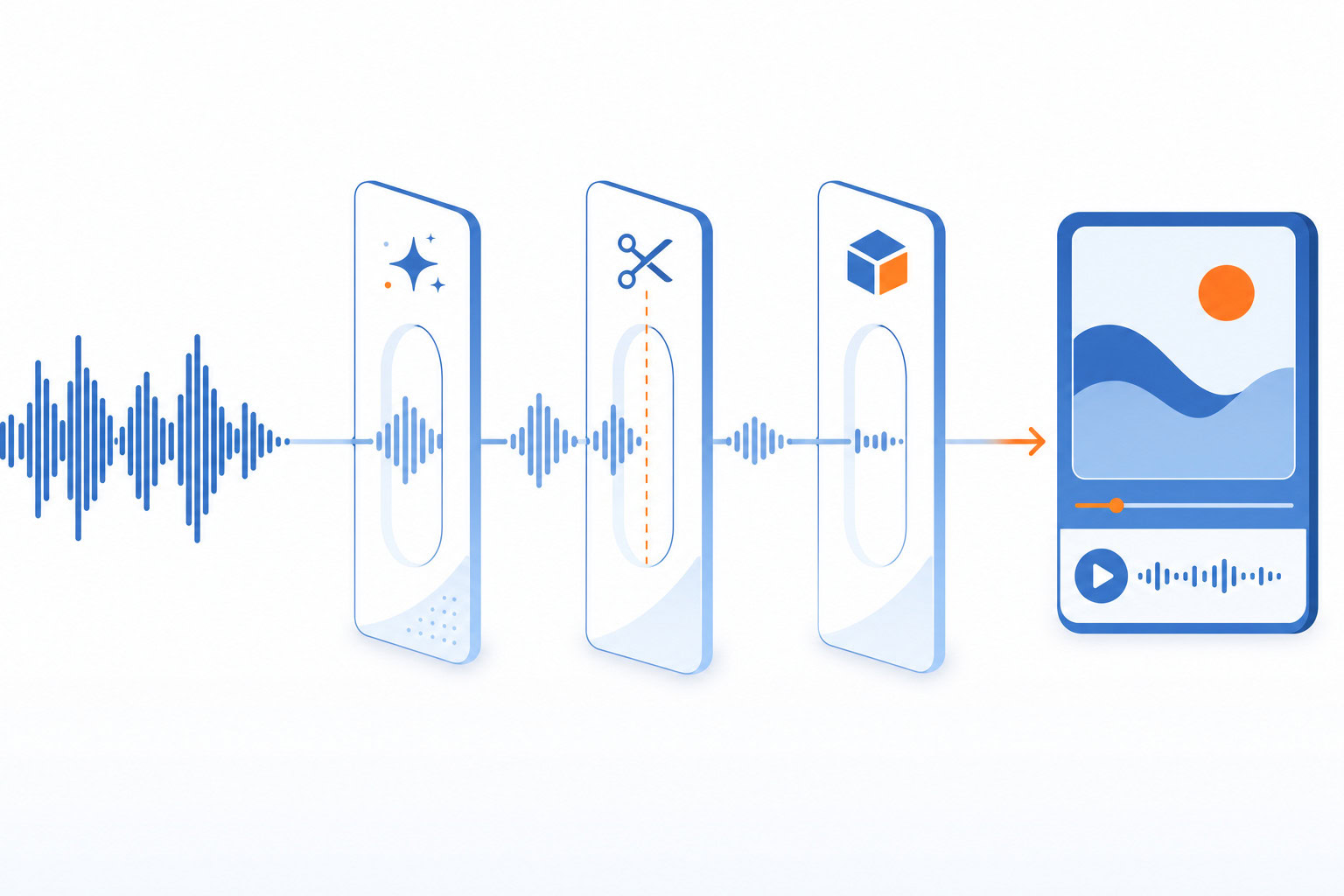
How We Produce the Show
| Job | Tool | Price |
|---|---|---|
| Recording | Riverside.fm | $19/mo Standard |
| Editing | Descript | $24/mo Creator |
| Audio cleanup | Adobe Podcast Enhance | Free (or $9.99/mo Premium) |
| Standalone transcription | Otter.ai | $8.33/mo annual |
| Show notes automation | Lindy | $49.99/mo Plus |
How I Evaluated This
I evaluated this article around the buyer decision it is trying to solve: which option is the better fit, what tradeoff actually matters, and where a simpler recommendation is more useful than a feature dump. Every price below was re-verified directly in July 2026, including a couple that had drifted since this piece first ran.
How We Record: Riverside.fm
The Productivity Show is co-hosted with Brooks. We don’t record in the same room. We never have.
For a long time, remote recording meant accepting that your audio quality was at the mercy of your guest’s internet connection. A bad connection meant artifacts in the final file. Zoom compression is audible if you know what to listen for.
Riverside solves this by recording locally on each participant’s device and uploading in the background. Your guest’s internet drops out for ten seconds? Their local track kept rolling. The final file is clean. This is the reason I recommend Riverside to any podcaster doing interviews or co-hosted shows with remote participants.
You get separate, uncompressed audio tracks per person. That matters in editing. When everyone’s audio is on its own track, you can fix one person’s mic without touching the other.
What I like:
- Local recording means guest internet issues don’t ruin your take
- Separate tracks make post-production much cleaner
- Guests join from a browser link, no app download
- Native Descript import works well
What I don’t like:
- More expensive than Zoom if audio quality isn’t a priority for you
- Some guests find the browser-based setup unfamiliar. Minor friction, but it comes up.
- The in-app editing features are decent but not as deep as Descript
Pricing: Free plan available (2 hours, watermarked). Standard is $19/month billed annually… this is the tier most indie podcasters need. Pro is $24/month annually for 4K video and 15 hours of transcription. Guests are always free.
Best for: Any podcast recording remote interviews or co-hosted shows where audio quality matters.
How We Edit: Descript
This is the one that genuinely changed how I think about podcast production.
Descript works by transcribing your recording and then letting you edit the transcript. Delete a word from the transcript and it disappears from the audio. Cut a paragraph and the whole chunk is gone. You’re editing text, not waveforms.
For anyone who didn’t grow up in a DAW (digital audio workstation), this is a meaningful shift. I don’t have an audio engineering background. Before Descript, editing audio felt like operating unfamiliar equipment. Now it feels like editing a Word doc.
Filler word removal is what most people try first. Descript detects every “um,” “uh,” “like,” and repeated word and highlights them. You can remove them all at once or pick and choose. On a 60-minute episode, this alone saves 20-30 minutes.
The Overdub feature (AI voice cloning) lets you re-record individual words by typing. Fix a flubbed sentence without re-recording the whole section. This sounds like a small thing until you’re 90 minutes into an edit and realize you said “its” when you meant “it’s” in the first sentence.
The December domain lapse I mentioned at the top? That’s Descript. When we couldn’t log in, the whole edit pipeline stalled. It was a reminder that any cloud-dependent tool is a single point of failure. Worth knowing before you build your entire workflow on one app.
What I like:
- Text-based editing genuinely lowers the barrier to podcast editing
- Filler word removal saves meaningful time every episode
- Automatic show notes, chapter markers, and social clips save another hour per week
- Strong Riverside integration
What I don’t like:
- Can get laggy on long projects. A 90-minute episode with multiple tracks slows things down.
- Overdub voice clone quality is good… not indistinguishable
- The December domain situation revealed how dependent we’d become on their infrastructure
Pricing: Free tier (1 hr transcription, 720p with watermark). Hobbyist at $16/month annually ($24 monthly) — roughly 10 hours of transcription, the one figure both sources I checked agree on. Creator at $24/month annually ($35 monthly)… this is the tier I’m on, with full AI features and 4K video. Business at $50/month annually ($65 monthly) for teams. Transcription-hour allocations above Hobbyist have changed before and Descript’s pricing page loads them dynamically, so check there for the current numbers rather than trusting a fixed figure here.
Best for: Podcasters who want to cut production time in half and aren’t audio engineers. Especially good if you’re producing both audio and video clips.
Audio Cleanup: Adobe Podcast Enhance
This one doesn’t have an affiliate program, so I’m recommending it purely because it works.
Adobe Podcast Enhance is a free browser tool that cleans up your audio. Upload a file, it removes background noise, room echo, and mic hiss. The result sounds like you recorded in a professional studio even if you were actually in your home office with a window AC unit running.
The free tier processes up to one hour per day in 30-minute chunks. For most weekly podcasters, that’s enough. You record, export, run it through Enhance, and you’re done. No software install. No subscription needed.
If you’re producing more than that, Premium is $9.99/month for 4 hours per day and video support.
The thing I keep hearing from podcasters who try it is that they can’t believe it’s free. That reaction is about right. It’s the best single-purpose audio enhancement tool I know of.
What I like:
- Free tier is genuinely functional for most solo podcasters
- Browser-based, no software to install
- Speed. Processing a 30-minute file takes a few minutes.
What I don’t like:
- Not a full production suite. You still need something for editing.
- Free tier limits can be a constraint if you’re producing multiple episodes per week.
- Requires an Adobe account, which some people find annoying.
Pricing: Free (1hr/day, 30-min max per file). Premium $9.99/month or $99.99/year.
Best for: Any podcaster who doesn’t have a professional recording setup. Use it as a post-processing step after recording in Riverside.
Transcription: Otter.ai
A few years ago I recommended Otter on TPS. I still think it’s a solid tool with an honest caveat.
Otter does real-time transcription with speaker diarization… it labels who said what. After the recording it generates summaries and action items. The OtterPilot feature joins Zoom or Teams calls automatically as a bot.
The caveat is this: at a team meeting a while back, someone asked if they were the only one not reading the Otter transcripts afterward. Half the room raised their hand. The transcription was happening but nobody was acting on it. Capturing information is not the same as using it.
That story is worth keeping in mind. Otter (or any transcription tool) is only as useful as what you do with the transcript. If your workflow doesn’t have a clear next step for the text, you’re collecting notes you’ll never read.
The Pro plan caps at 10 audio/video file imports per month. For casual users, fine. For active podcasters producing weekly episodes and using Otter as their primary transcription layer, that limit comes up fast.
What I like:
- Good speaker identification on multi-speaker recordings
- Transcripts are available immediately after recording
- Cheaper than most alternatives at $8.33/month annual
What I don’t like:
- 10-file import cap on Pro is a real constraint for weekly podcasters
- Accuracy degrades with accents or background noise
- The bot joining your call is a visible thing some guests notice
Pricing: Free (300 min/month, 30-min conversation limit, 3 file imports lifetime). Pro at $8.33/month annually. Business at $20/month annually.
Best for: Podcasters who want quick transcripts for show notes or SEO on a budget. Better as a supplemental tool than a full production suite.
Advanced Automation: Lindy
This is where things get further out from standard podcast tooling. Not for everyone. But if you’re already using Riverside and Descript and want to automate the post-production writing, this is what I built.
My show notes used to take two to three hours after every episode. Research the guest, summarize the key points, find relevant internal links, draft the post. That was before I built a Lindy workflow that does most of it automatically.
Here’s how it works: when I move a Jira ticket to a specific column (our signal that an episode is edited and ready for show notes), a Lindy agent fires. It pulls the Descript transcript, queries my story database in Supabase, finds relevant stories and past episodes, and generates a first-draft set of show notes. The draft comes back using real anecdotes from our content library, not generic AI filler.
That automation is now saving us 10-15 hours per week across the full production pipeline. It’s not just show notes… it’s social posts, chapter markers, the email blast. The transcript is the source. Lindy turns it into everything downstream.
The honest caveat: this took real setup time. Connecting Jira, Supabase, and the workflow together required knowing what you’re doing. If you’re not comfortable with automation tools, the setup cost is real. I’d call this an intermediate to advanced move, not where most podcasters should start.
Pricing: No free tier — Lindy moved to a 7-day trial in 2026. Plus, the entry paid plan, starts at $49.99/month.
Best for: Podcasters who already have the recording and editing workflow working and want to automate the post-production writing. Strong when combined with a knowledge or story database.
Worth Mentioning: Podcastle
I haven’t used Podcastle personally, so I’ll be honest about that.
Podcastle is an all-in-one browser-based platform… record, edit, and distribute from one place. It has AI audio enhancement (Magic Dust), noise reduction, and voice cloning. The pitch is simplicity: one app, no switching between tools.
If you’re just starting out and want to try podcasting without stitching together multiple tools, Podcastle is worth a look. The Storyteller plan runs $11.99/month billed annually (monthly billing is $14.99). If you eventually want more control over each part of the production workflow, you’ll probably outgrow it and move toward the Riverside + Descript stack.
Cost Breakdown
| Tool | Best For | Monthly Cost (Annual) |
|---|---|---|
| Riverside.fm Standard | Remote recording | $19/mo |
| Descript Creator | Editing + show notes | $24/mo |
| Adobe Podcast Enhance Free | Audio cleanup | $0 |
| Otter.ai Pro | Standalone transcription | $8.33/mo |
| Lindy Plus | Show notes automation | ~$49.99/mo |
| Riverside + Descript + Adobe | Core stack | $43/mo |
Who Needs What
Just starting out: Adobe Podcast Enhance (free) plus Descript’s free tier to try text-based editing. Record on whatever you have. The barrier is zero.
Weekly podcast, remote guests: Riverside Standard ($19/mo) plus Descript Creator ($24/mo). This is the professional setup most established indie podcasters run. $43/month gets you broadcast-quality audio and fast editing.
Want to automate post-production writing: Add Lindy. Requires setup investment but pays back quickly if you’re producing consistently. This is how we do it.
The Transcript Is the Asset
One thing I want to flag because almost nobody talks about it directly: your transcript is not a byproduct of production. It’s the primary asset.
A transcript unlocks show notes, chapter markers, social clips, blog posts, internal knowledge bases, and future AI queries. Fed three years of TPS transcripts into NotebookLM last month. Now I can query ten years of conversations in seconds. The transcript I made for episode 400 two years ago is still generating value.
Most podcast tools treat transcription as a checkbox. I think of it as the foundation.
FAQ
Do I really need both Riverside and Descript?
If you record remotely, yes. They do different jobs. Riverside captures clean separate tracks. Descript edits them. They’re complementary, not competing. The native Riverside-to-Descript import makes the handoff clean.
Is Descript worth $24/month?
For anyone producing at least one episode per month, yes. The time you save on filler word removal alone is worth it by episode three. If you’re producing video alongside audio (YouTube, short clips), the case gets stronger.
Can I start for free?
Yes. Adobe Podcast Enhance is free for basic use. Descript and Riverside both have free tiers. Otter has a free plan. You can build a complete beginner workflow at $0 and upgrade as your volume increases.
What’s the single highest-leverage first step?
Download Descript and edit one episode using the transcript. Don’t worry about recording setup yet. Just see if text-based editing changes how the process feels for you. That decision alone changes most people’s minds.
Want help building a podcast automation workflow like the Lindy setup I described? I offer AI consulting for teams who want a custom production system. Get in touch.
Next Step
Recommended for you
Want the full system? 25X is the flagship productivity system we teach.
Explore 25X →