
Descript is a video and audio editor where you edit the media by editing a transcript — cut a paragraph, the audio cuts with it. The Creator plan at $24/month (billed annually) is the sweet spot for most podcasters, with 30 media hours a month and full AI features. The free tier is enough to test whether the workflow clicks before you pay anything.
Quick Verdict
- Best for podcasters and solo video creators who want to edit by cutting text instead of scrubbing a timeline.
- Creator ($24/month annual, 30 media hours) is the right plan for anyone publishing weekly.
- Not for professional editors who need precise timeline control, color grading, or motion graphics.
What Descript Actually Is
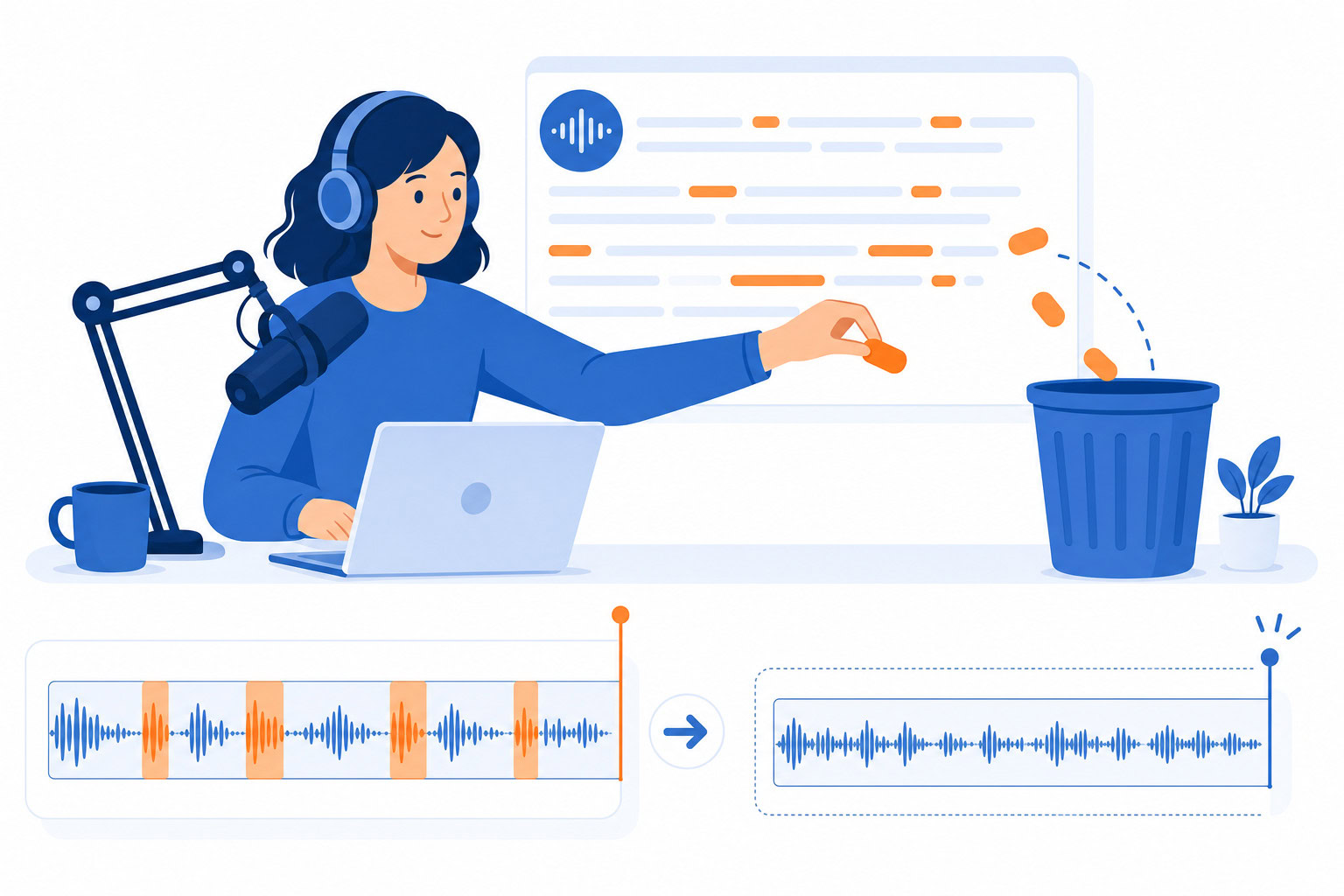
Descript is a video and audio editor where you edit the media by editing a transcript. Record something, import something, or paste a link… Descript transcribes it, and you edit the text. Cut a paragraph, the video cuts. Move a section, the video rearranges. It’s like editing a Google Doc, except a video comes out the other end.
That core concept is what makes it different from everything else. Premiere Pro, Final Cut, and even simpler tools like CapCut still make you work on a timeline. Descript makes you work on text. For people who think in words (which is most podcasters and content creators), this is a fundamental workflow improvement.
How I Evaluated This
I judged Descript on the one thing that actually matters for podcasters and solo creators — how much time the transcript-based workflow saves versus a traditional timeline editor — and I re-verified every price directly against Descript’s live pricing page in July 2026, since the dollar figures had drifted since this review first ran.
Pricing Breakdown
| Plan | Annual | Monthly | Media Hours | What You Get |
|---|---|---|---|---|
| Free | $0 | $0 | 1 hr | 720p export, 5 min AI speech |
| Hobbyist | $16/mo | $24/mo | 10 media hrs | 1080p export |
| Creator | $24/mo | $35/mo | 30 media hrs (+5 bonus) | 2 hr AI speech, 4K export, full AI features |
| Business | $50/mo | $65/mo | 40 media hrs (+10 bonus) | 5 hr AI speech, team collaboration |
One terminology note: Descript counts usage in “media hours” rather than pure transcription hours — the allowance also covers untranscribed uploads (like raw video you’re just trimming), so it’s a broader unit than the old “transcription hours” framing suggests.
My plan: Creator at $24/month (annual billing). The 30 media hours (plus 5 bonus) covers about 6-8 podcast episodes per month, which is more than enough for our weekly cadence.
What I Use Daily (The Good Stuff)
Transcript-Based Editing
This is the feature. Everything else is bonus. I record a 45-minute podcast episode, import it into Descript, and start editing the transcript. Remove filler words with one click. Cut tangents by deleting paragraphs. Rearrange sections by dragging text blocks. The audio follows perfectly.
My editing workflow:
- Import the recording (auto-transcription takes about 5 minutes for a 45-minute episode)
- Click “Remove filler words” (um, uh, like, you know… gone)
- Read through the transcript and delete sections that don’t add value
- Tighten transitions between remaining sections
- Export the clean audio
Time: about 45 minutes. Before Descript, this same edit took 2-3 hours in traditional tools because I’d have to listen to the entire episode in real-time, marking cut points on a timeline.
Studio Sound
One-click audio restoration. This feature alone is worth the subscription for anyone recording in imperfect conditions. Studio Sound removes background noise, echo, and room reverb. It makes a laptop microphone recording sound like it was done in a studio.
I’ve used it to rescue episodes recorded in hotel rooms, coffee shops, and car rides. The before/after difference is dramatic.
AI Actions for Repurposing
New in 2025-2026, AI Actions can automatically repurpose your content. Feed it a podcast episode and it generates:
- Blog post draft
- Social media clips with captions
- Episode summary
- Key quotes and timestamps
I don’t use this for final output (Claude writes better blog posts), but it’s useful for quick first passes and social media clips that would otherwise take an hour to create manually.
The AI Features That Surprised Me
Overdub (Voice Cloning)
Overdub lets you clone your voice from about 3 minutes of training audio. Then you can type text and Descript generates audio in your voice. In 2026, Overdub 3.0 added emotional control… whisper, shout, excited tones.
I use this for small corrections. If I misspoke a name or a date during recording, instead of re-recording the section, I type the correction and Overdub generates it in my voice. It’s seamless. Listeners can’t tell.
Is it unsettling that AI can clone my voice from 3 minutes of audio? Yes. Is it incredibly useful for podcast editing? Also yes.
Eye Contact AI
This one is more relevant for video creators. Eye Contact AI adjusts your gaze to look directly at the camera, even when you’re reading notes or looking at a second screen. It works with glasses. The effect is subtle but noticeable… you look more engaged and present on camera.
I use this when recording workshop promo videos. I can read my talking points without breaking “eye contact” with the viewer.
Quick Recorder
Remote recording with up to 10 guests in 4K. Each person’s audio and video is recorded locally (no quality loss from internet connection), then synced in Descript. This replaced Zoom recordings for our podcast guest episodes. The quality difference is significant.
What I Don’t Like (The Honest Cons)
Transcription Accuracy Isn’t Perfect
It’s good. Maybe 95% accurate for clear English. But it struggles with:
- Heavy accents
- Technical jargon and brand names
- Multiple speakers talking over each other
- Background noise (before Studio Sound is applied)
You’ll always need to proofread the transcript before publishing it as text. For editing purposes, the small errors don’t matter since you’re cutting audio, not publishing the transcript.
The Learning Curve Is Real
The text-based editing concept is intuitive once you get it. But Descript has added so many features that the interface can feel overwhelming for new users. Composition mode, Scenes, Overlays, Templates, AI Actions… it takes a week to figure out what everything does.
My advice: Ignore everything except the transcript editor for your first project. Add features as you need them.
Export Can Be Slow
Exporting a 45-minute episode takes 5-10 minutes on my MacBook Pro. Not terrible, but noticeable when you’re used to real-time export in simpler tools. Business plan gets priority processing.
Price Adds Up for Teams
At $50/month per seat for the Business plan (annual), a team of three is $150/month just for editing software. For larger teams, Premiere Pro with a Creative Cloud subscription might be more cost-effective.
Who Should Use Descript
Podcasters (the primary audience). If you produce a podcast, Descript is the best editing tool available. The transcript-based workflow saves hours per episode. Studio Sound fixes audio quality. Overdub fixes mistakes. This is the tool Descript was built for.
Solo video creators. YouTube creators, course creators, and anyone making video content by themselves. The text-based editing is faster than timeline editing once you’re comfortable with it. Eye Contact AI and Studio Sound are genuine quality improvements.
Content repurposers. If you want to turn long-form content into short clips, blog posts, and social posts, Descript’s AI Actions and Opus Clip integration make this faster than doing it manually.
Not ideal for: Professional video editors who need precise timeline control, color grading, and motion graphics. Descript is powerful but it’s not Premiere Pro or DaVinci Resolve. It trades precision for speed.
Descript vs. The Alternatives
Descript vs. Premiere Pro: Premiere is more powerful for complex video. Descript is 5x faster for podcast and talking-head content. Different tools for different jobs.
Descript vs. Riverside: Riverside is focused on remote recording. Descript is focused on editing. I use Descript’s Quick Recorder now, but if you need advanced remote recording features (separate tracks, live streaming), Riverside might be better for the recording step.
Descript vs. Otter.ai (for transcription only): Otter is cheaper for pure transcription. But if you’re going to edit the audio anyway, Descript combines transcription and editing in one step.
My Verdict
Descript is the best tool for podcast editing and solo video production in 2026. The transcript-based editing workflow is a genuine innovation, not a gimmick. The AI features (Studio Sound, Overdub, Eye Contact) add real value that compounds over time.
The $24/month Creator plan (annual billing) is the sweet spot. You get 30 media hours (plus 5 bonus), full AI features, and 4K export. Start with the free tier to test the workflow, then upgrade when you’re committed.
If you make audio or video content and you’re still editing on a timeline… try Descript. The first episode you edit will feel strange. By the third, you won’t go back.
FAQ
Is the free tier enough to try it properly?
Yes. One hour and 720p export is enough for one podcast episode or a few short videos. It’ll show you whether the text-based editing workflow clicks for you.
Can Descript replace my entire editing workflow?
For podcasts and talking-head videos, yes. For complex video with B-roll, motion graphics, and color grading, you’ll still need a traditional editor for the finishing touches. Many creators use Descript for the rough cut and a traditional editor for the final polish.
How does Overdub voice cloning work? Is it ethical?
You can only clone your own voice (you have to verify by reading a consent script). You can’t clone someone else’s voice without their direct participation. For fixing small errors in your own recordings, it’s a massive time saver.
Is it worth upgrading from Hobbyist to Creator?
If you publish weekly content, yes. The jump from 10 to 30 media hours (plus 5 bonus) and the addition of full AI features (including 2 hours of AI speech for Overdub) makes Creator the right plan for serious creators.
Next Step
Recommended for you
Want the full system? 25X is the flagship productivity system we teach.
Explore 25X →